What If You Could Turn Raw Clips, Captions, Music, Templates, and AI Tools into Clean Social Videos—Without Spending Hours Fighting the Timeline?
Most creators do not struggle because they lack ideas. They struggle because turning those ideas into finished videos takes too long. A simple clip becomes a mess of trimming, captions, text placement, music levels, background cleanup, platform sizing, export settings, and endless small decisions. You sit down to make one quick video for TikTok, Reels, Shorts, or YouTube, and suddenly you are adjusting captions for the fifth time, testing templates that do not fit, and wondering why the final edit still feels unfinished.
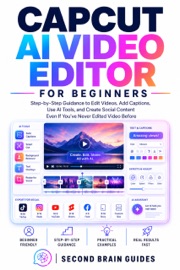
Now imagine having a practical AI video editor that helps you move faster: auto captions for spoken clips, text tools for clearer explanations, templates for faster layouts, background removal for cleaner visuals, AI voice and text-to-speech for faceless content, and export options designed for modern social video. That tool is CapCut, and this book shows you how to use it with control—even if you are not a video editor.
Second Brain Guides is built for readers who want clear, practical guidance without noise, jargon, or filler. In CapCut AI Video Editor for Everyday Creators, you get a step-by-step system for understanding CapCut, building cleaner edits, using AI tools wisely, and creating repeatable workflows for social videos, tutorials, product clips, faceless explainers, and everyday creator content.
What You’ll Actually Gain:
— The ability to build a clean video edit from start to finish. Import your clips, trim the slow parts, arrange the timeline, add captions and text, balance audio, and export a video that feels ready to post.
— Captions that look clear, accurate, and readable on a phone. Learn when to use auto captions, how to review them properly, where to place them, and how to avoid the mistakes that make videos look rushed.
— Faster short-form editing for TikTok, Reels, Shorts, and YouTube. Turn raw footage into focused clips with stronger openings, cleaner pacing, platform-safe text, and export settings that match where the video will be watched.
— Practical use of CapCut’s AI tools without losing creative control. Use AI video generation, text-to-speech, AI voice, background removal, templates, and long-video-to-short workflows as helpers—not as shortcuts that publish unfinished work.
— Repeatable creator workflows you can use again and again. Build systems for tutorials, product showcases, talking clips, faceless explainers, before-and-after edits, promotional videos, and repurposed content from longer recordings.
Even If You’ve Never Edited Videos Seriously Before.
This book does not assume you know professional editing terms. Every workflow is explained in plain language, with practical decisions you can apply immediately. You will learn what each feature does, when to use it, what to check before trusting it, and how to avoid the common mistakes that make beginner videos look cluttered, generic, or unfinished.
From the Trusted Voice of Second Brain Guides.
Second Brain Guides has earned its reputation by making modern tools easier to understand and easier to use. Our books focus on real features, useful workflows, careful explanations, and practical results. We do not just tell you that a tool can save time. We show you exactly how to use it, where it fits, and how to create something better with it.
You do not need another vague content creation book. You need a practical editing system.
CapCut can help you create faster. This guide will help you create better.
Turn the page, open CapCut, and start creating cleaner, faster, more professional-looking videos today.