What If You Could Edit a Week’s Worth of Social Content in a Single Afternoon — Without a Studio, a Producer, or a Single Tutorial?
You know the grind. You film something decent on your phone, open an editing app, and stare at a timeline that looks like an airline cockpit. You spend an hour trimming, another hour trying to make the text look right, and when you finally export, the captions are out of sync and the music is too loud. So you post it anyway, or you don’t. The whole thing feels heavier than it should.
Now imagine the opposite. You drop your clips into an editor that was built for the way video actually gets made today — short, fast, and straight to the feed. In a few taps, the app listens to your speech and generates perfectly timed captions. It cleans up the background noise. It suggests trending sounds that fit your footage. The cuts snap to the beat without you nudging a single frame. And when you’re done, you publish directly to TikTok, Instagram, or YouTube — no extra export step, no mystery compression, no watermark.
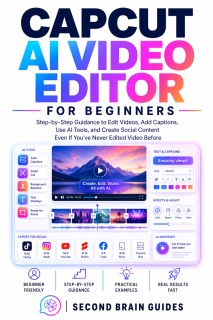
That editor is already on millions of phones and desktops, and it’s free. It’s called CapCut. This book will show you how to use every part of it that matters — even if you’ve never edited a video in your life.
Second Brain Guides has built a reputation for making powerful technology genuinely accessible. In CapCut AI Video Editor for Beginners, we cut through the clutter, the menus, and the confusion, delivering a step‑by‑step system that turns you from someone who dreads the edit into someone who finishes it fast and publishes with confidence.
What You’ll Actually Gain:
— Captions and voiceovers in seconds, not hours. CapCut’s AI listens to your video and writes the subtitles for you — across more than a dozen languages. Text‑to‑speech turns your written script into a natural voiceover while you do something else.
— Professional visuals without a design background. Remove backgrounds with one tap. Clean up shaky footage. Apply colour grades and filters that make phone clips look intentional. Add text animations and transitions that pull the eye without screaming for attention.
— Templates that do the heavy lifting. Tap a trending template, drop in your own clips, and publish a polished video in minutes. Or build your own reusable structures so every video from your brand feels like it belongs to the same family.
— The editing tools that used to need expensive software. Keyframe animation, chroma key, multi‑track timelines, audio ducking, beat sync, speed ramping — all inside the same free app, all explained in plain language.
— A direct line from edit to audience. Publish straight to TikTok and other platforms without leaving CapCut, with trending sounds and format matching built in.
Even If You’ve Never Edited Video Before.
We don’t assume you know what a keyframe or a codec is. Every term is explained in plain English the moment you meet it. Each chapter follows the natural rhythm of a real edit — import, trim, layer, colour, sound, export — so you learn by doing, not by memorising menus.
From the Trusted Voice of Second Brain Guides.
Most tech books either talk over your head or waste your time with empty fluff. Second Brain Guides exists for one thing: turning absolute beginners into calm, capable users. Our books are warm, patient, and relentlessly practical. We don’t just tell you a tool is useful. We walk you into genuine competence and let you feel the satisfaction of having done it yourself. Thousands of readers turn to us for AI guidance that actually works on the first try.
Stop losing your afternoons to an edit that should take twenty minutes. Turn the page, open CapCut, and discover how fast good video can feel when the tool finally works the way you do.