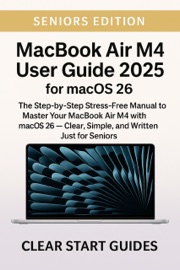
What If Your MacBook Air M5 Could Feel Clear, Organized, and Easy to Use From the Very First Day?
Apple’s MacBook Air M5 is thin, fast, quiet, and built for macOS Tahoe 26, Apple Intelligence, iCloud, everyday apps, and the wider Apple ecosystem — but a new Mac can still feel confusing if you do not know where everything belongs. Finder is different from Files on iPhone. The Dock, Menu Bar, Control Center, and System Settings all have their own jobs. iCloud can be helpful, but only if you understand what is syncing. Apple Intelligence sounds useful, but beginners need to know when it helps and when to check the results carefully.
This clear, practical guide shows you how to set up and use your MacBook Air M5 with confidence — without jargon, guesswork, or wasting hours searching online.
Inside this beginner-friendly MacBook Air M5 guide, you’ll learn how to:
– Set up your MacBook Air M5 carefully from the beginning.
– Understand macOS Tahoe 26, including Finder, the Dock, Menu Bar, Control Center, Spotlight, and System Settings.
– Use the trackpad, keyboard, gestures, Touch ID, shortcuts, and everyday Mac controls comfortably.
– Make sense of Apple Account, iCloud, iCloud Drive, passwords, photos, files, and syncing.
– Organize Downloads, Documents, screenshots, folders, and Finder so important files are easier to find.
– Use Safari, Mail, Messages, FaceTime, Photos, Notes, Reminders, Calendar, Freeform, Preview, and other built-in Apple apps.
– Understand Apple Intelligence on MacBook Air M5 without hype, including where it helps and where human review still matters.
– Protect your privacy, passwords, Apple Account, app permissions, camera, microphone, and personal information.
– Manage battery life, storage, software updates, Time Machine backups, and everyday Mac maintenance.
– Connect your MacBook with iPhone, iPad, AirPods, Apple Watch, AirDrop, Handoff, and other Apple ecosystem features.
– Troubleshoot common problems with Wi-Fi, Bluetooth, iCloud, sound, camera, apps, updates, storage, and missing files.
– Finish with a practical quick-start checklist so your MacBook feels clean, secure, and ready for daily use.
Why beginners will find this guide useful:
✔️ Written in plain, friendly English with no technical confusion.
✔️ Built specifically around MacBook Air M5 and macOS Tahoe 26.
✔️ Ideal for new Mac users, everyday Apple users, and anyone who wants a calmer setup process.
✔️ Focused on real Apple features, practical settings, and the choices that matter most.
✔️ Helps you avoid common beginner mistakes with iCloud, files, privacy, storage, updates, and Apple Intelligence.
✔️ Designed to make your MacBook easier to understand, easier to organize, and easier to use every day.
Don’t let your MacBook Air M5 become a device you only partly understand.
With the right setup and a clear path through macOS Tahoe 26, your MacBook can become a reliable place for email, browsing, photos, video calls, documents, passwords, planning, learning, entertainment, and everyday life.
From Clear Start Guides — trusted by thousands of readers who want clarity without compromise — this book gives you the simple, practical help you need to use your MacBook Air M5 with confidence.
Grab your copy today and start using your MacBook Air M5 clearly, safely, and without confusion.